

Verifications
This guide shows where DayDream places verification results in Eaglesoft after a verification is complete, and how your team can find each update.Quick reference

Overview: where each part of a DayDream verification breakdown appears in Eaglesoft
Appointment verification status
After DayDream finishes a verification, a status note is added to the patient’s appointment notes. DayDream uses the same verification statuses across every PMS. Where they appear on the appointment schedule can differ by system. In Eaglesoft, they are written to Appointment Notes.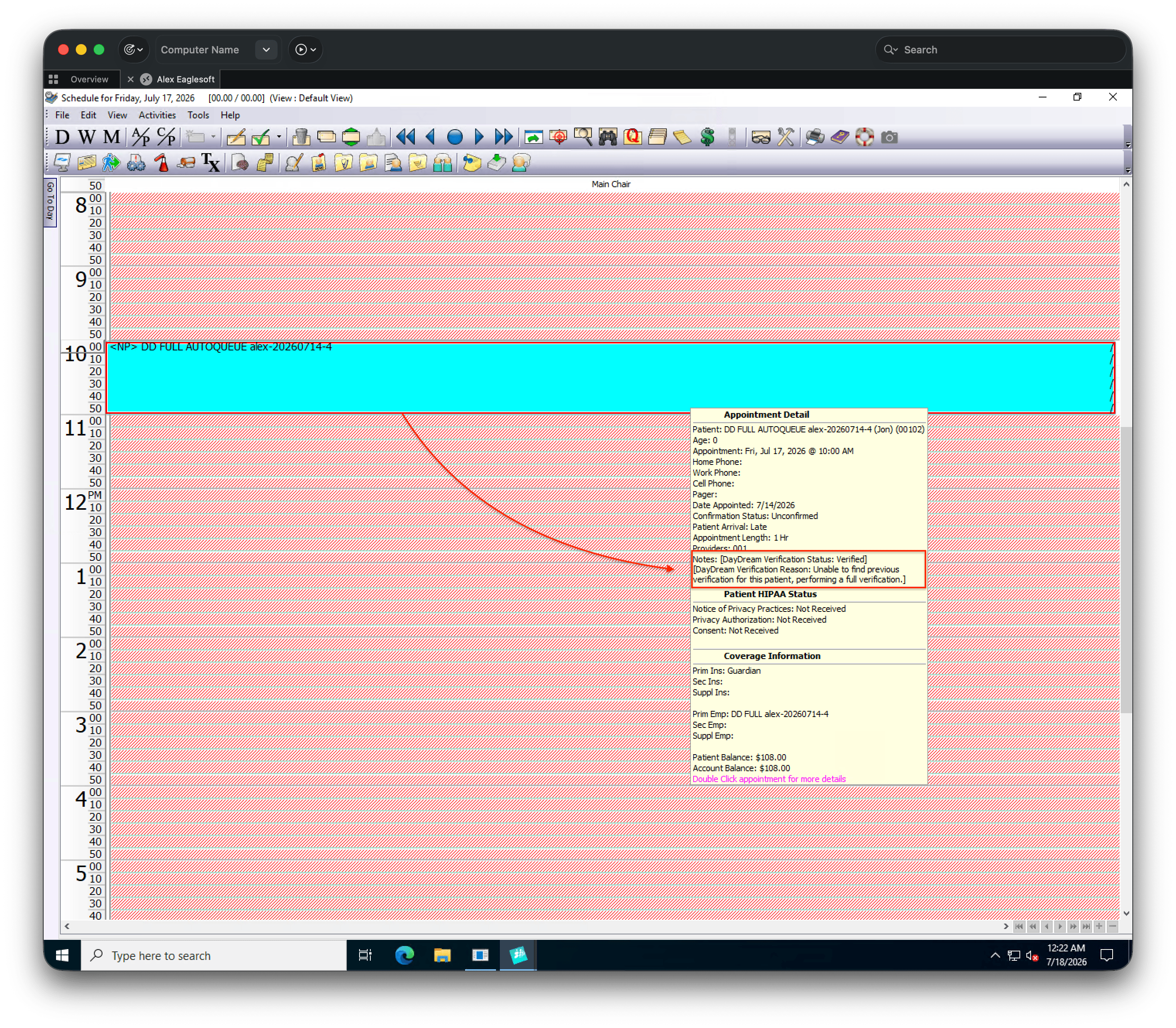
Appointment notes showing DayDream verification status
Insurance plan and patient updates
DayDream updates plan-level details on Edit Employer and patient-level details on Edit Patient. Open the plan through Edit Patient → employer/plan link, or open the employer directly in Eaglesoft.Group name, group number, and plan reset month
On Edit Employer, DayDream updates:- Group Name and Group Number — top right of the form
- Plan reset month — Beg. Month (Eaglesoft stores only the month of the plan year reset)
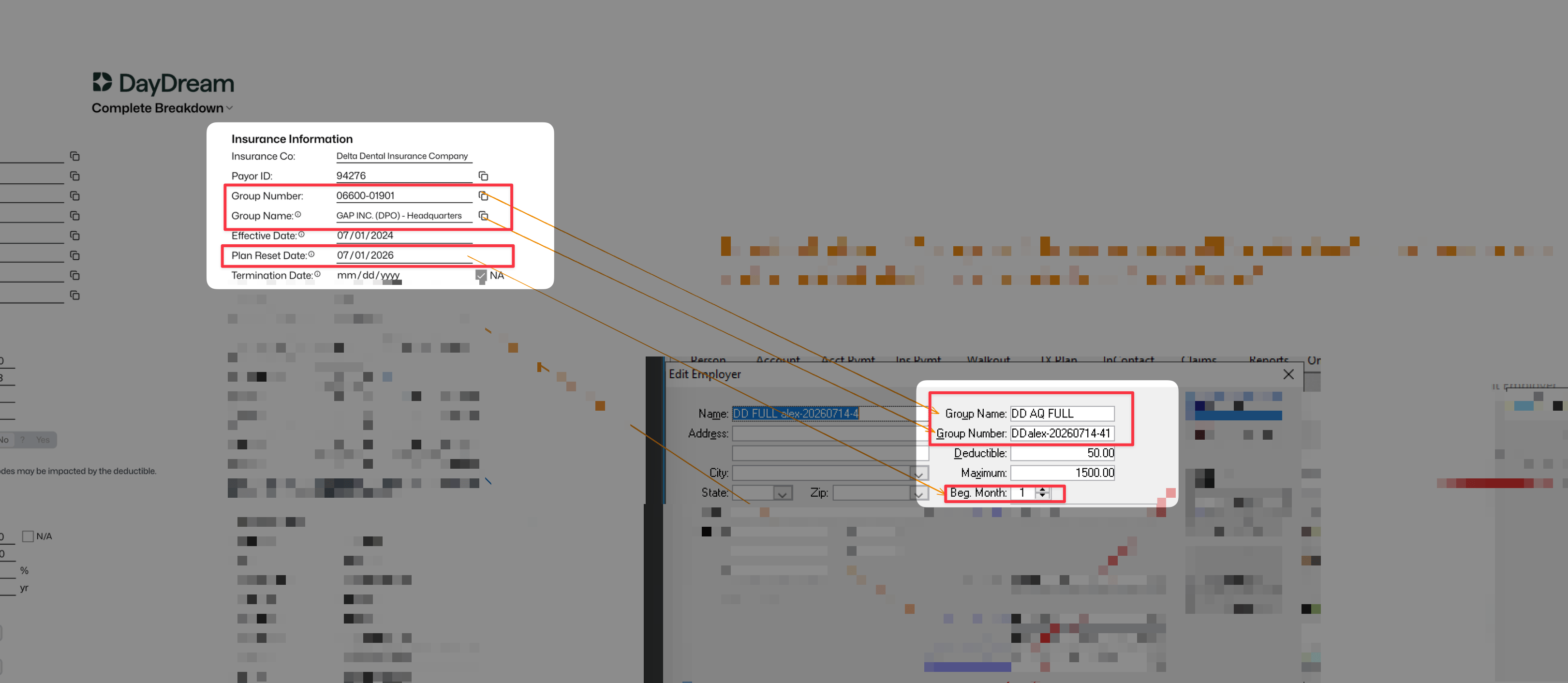
Group Name, Group Number, and Beg. Month (plan reset month) on Edit Employer
Network status
Whether a plan is in or out of network is reflected by the Fee Schedule on Edit Employer:- Out of network — no fee schedule is attached; Fee Schedule stays (Standard Fees)
- In network (PPO) — DayDream attaches the correct fee schedule in the Fee Schedule field
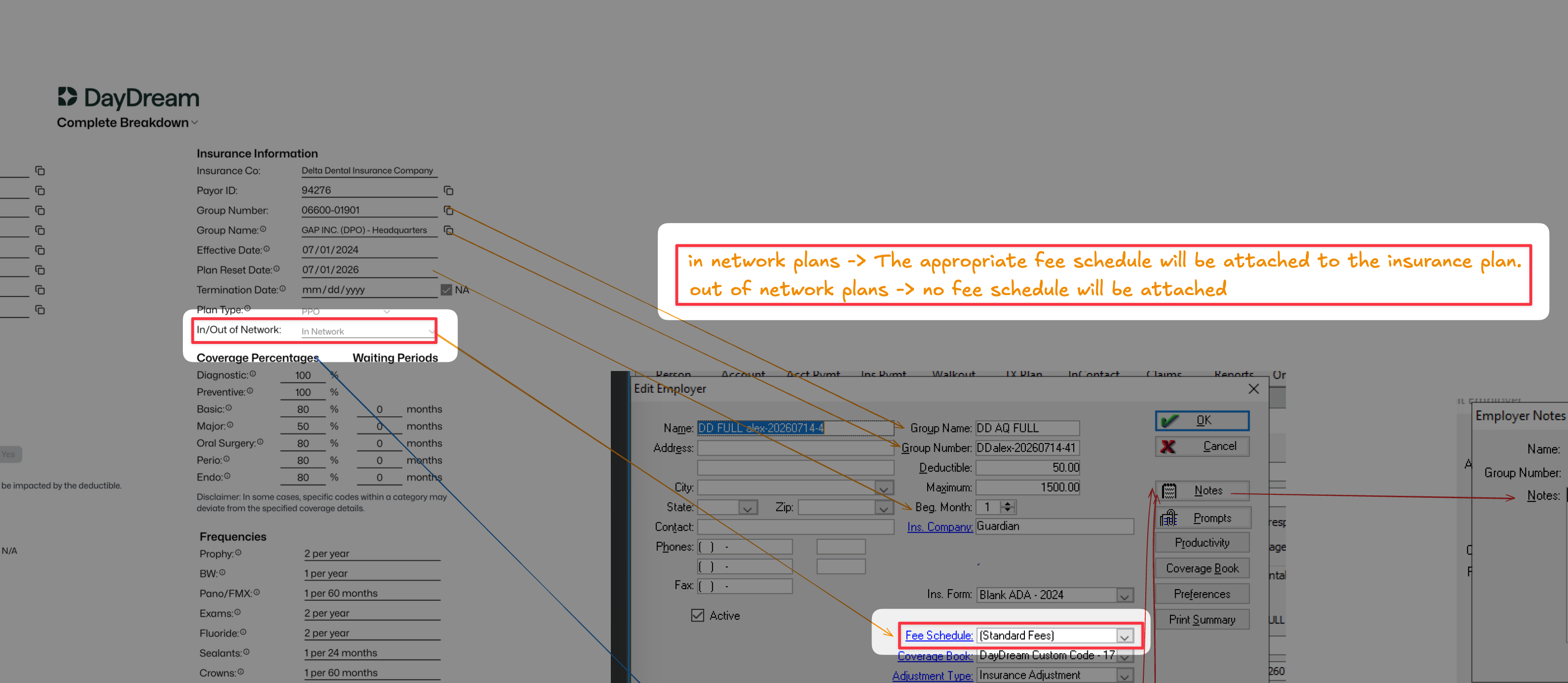
Fee Schedule on Edit Employer for out-of-network and in-network plans
Plan maximum and deductible
The plan maximum and deductible are written to Edit Employer — the Maximum and Deductible fields.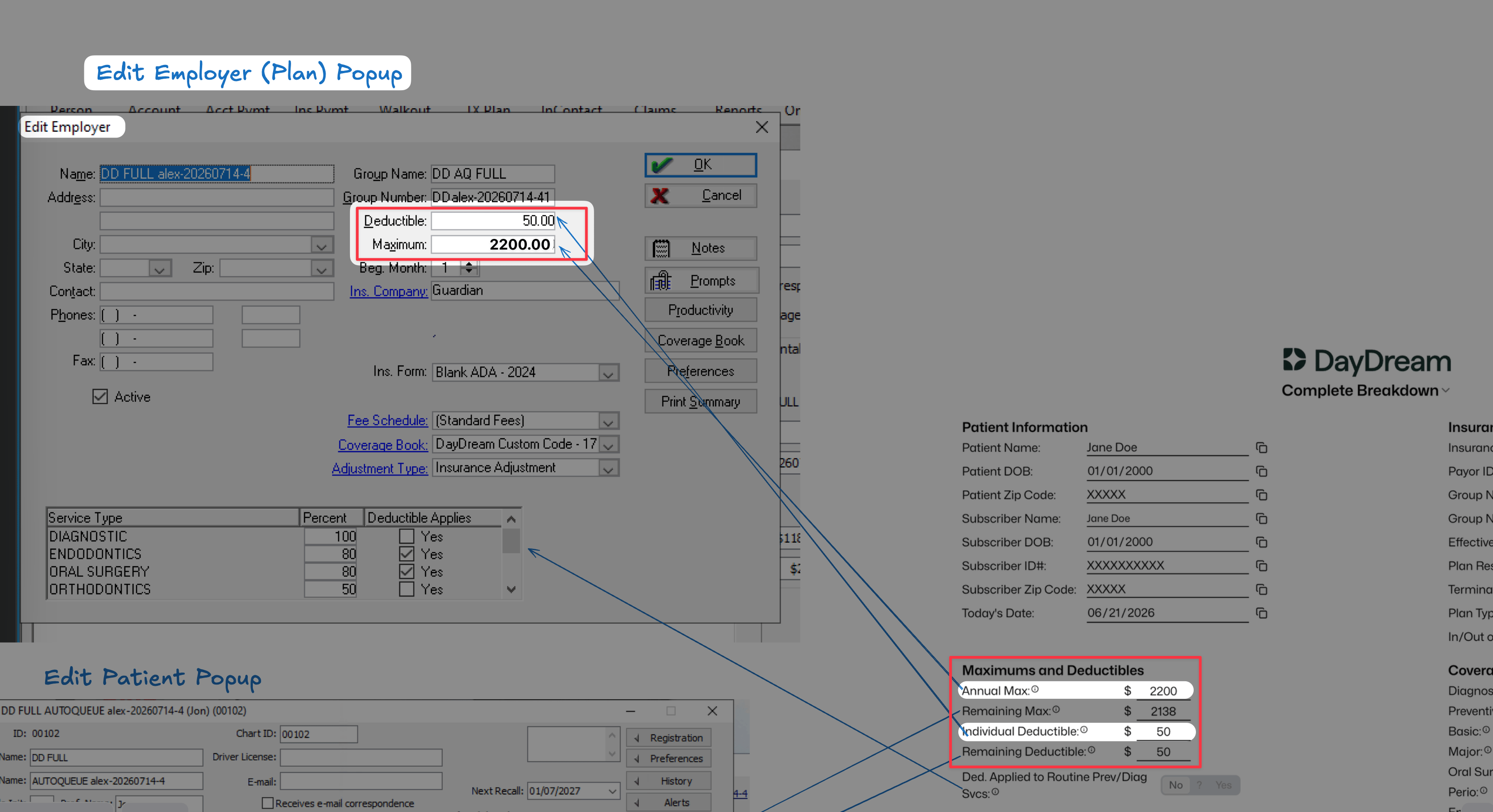
Plan maximum and deductible on Edit Employer
Patient remaining benefits and deductible
The patient’s remaining maximum and remaining deductible are written to Edit Patient — Rem. Benefits and Rem. Deduct under the patient’s primary (or secondary) insurance section.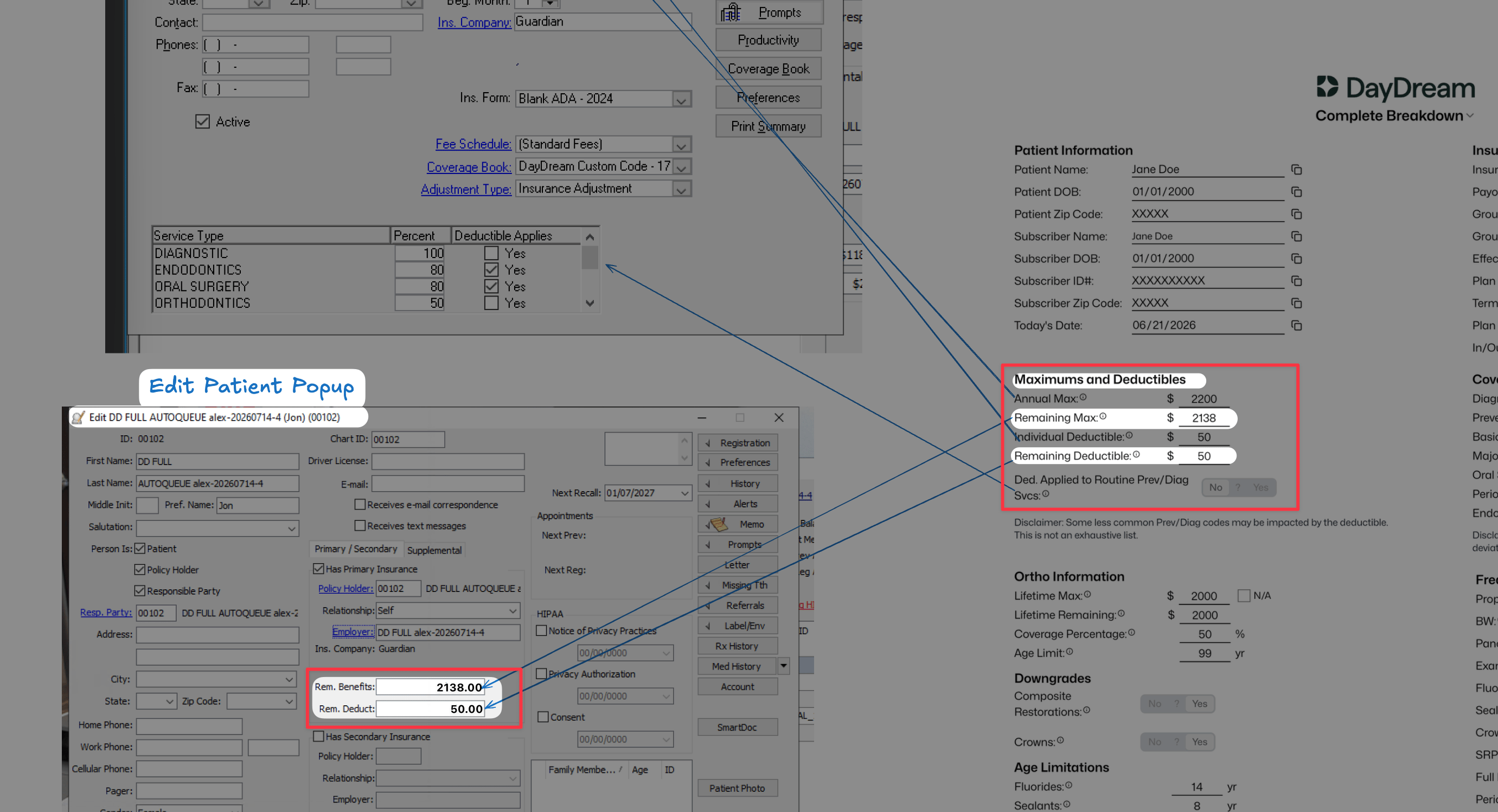
Patient remaining benefits and deductible on Edit Patient
Standard coverage percentages
Standard coverage categories from the breakdown are written to the Service Type table on Edit Employer: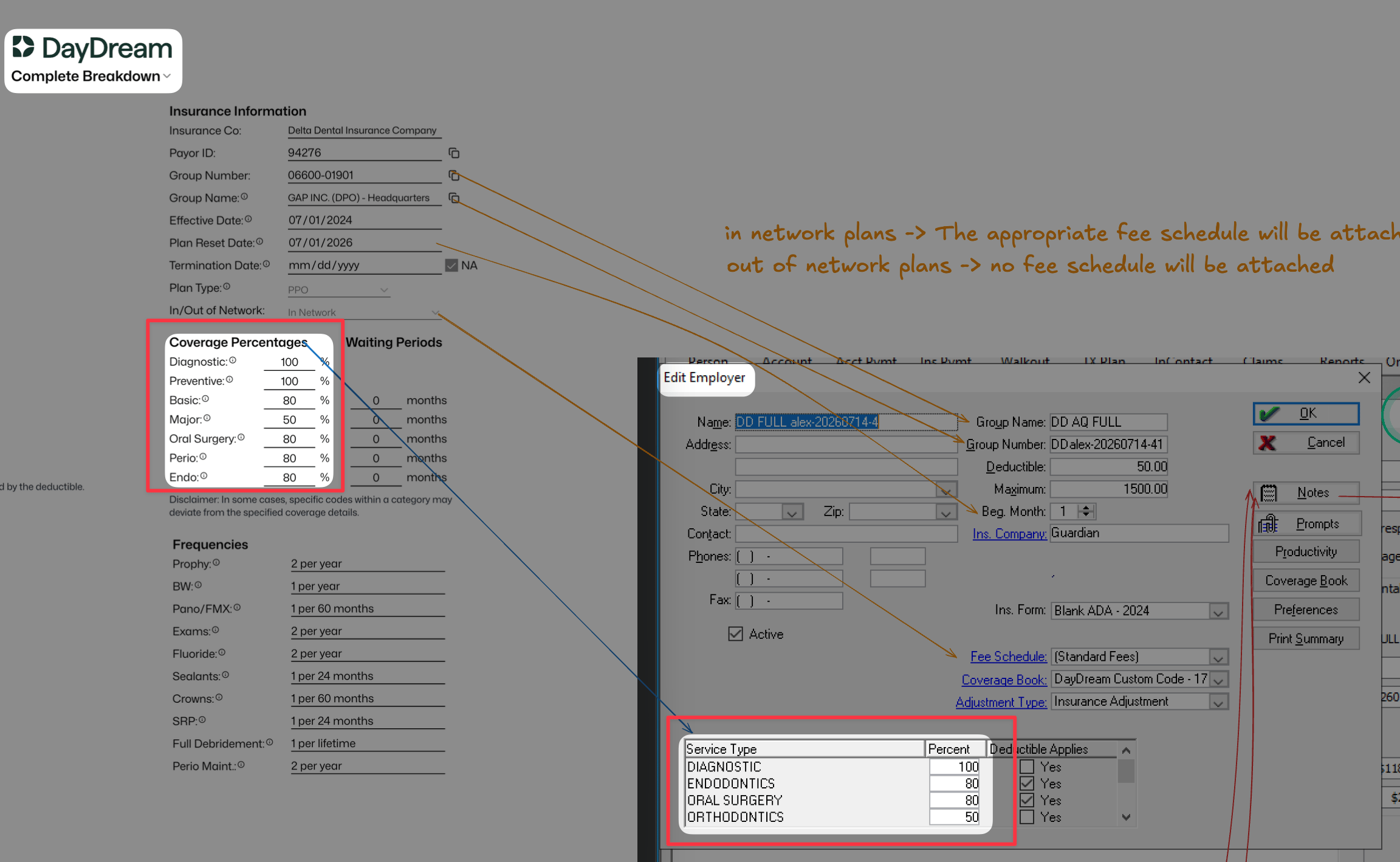
Service Type table on Edit Employer
Custom procedure code percentages
Procedure-specific coverage (custom codes) is written to an Eaglesoft Coverage Book attached to the plan. Each plan uses a book named: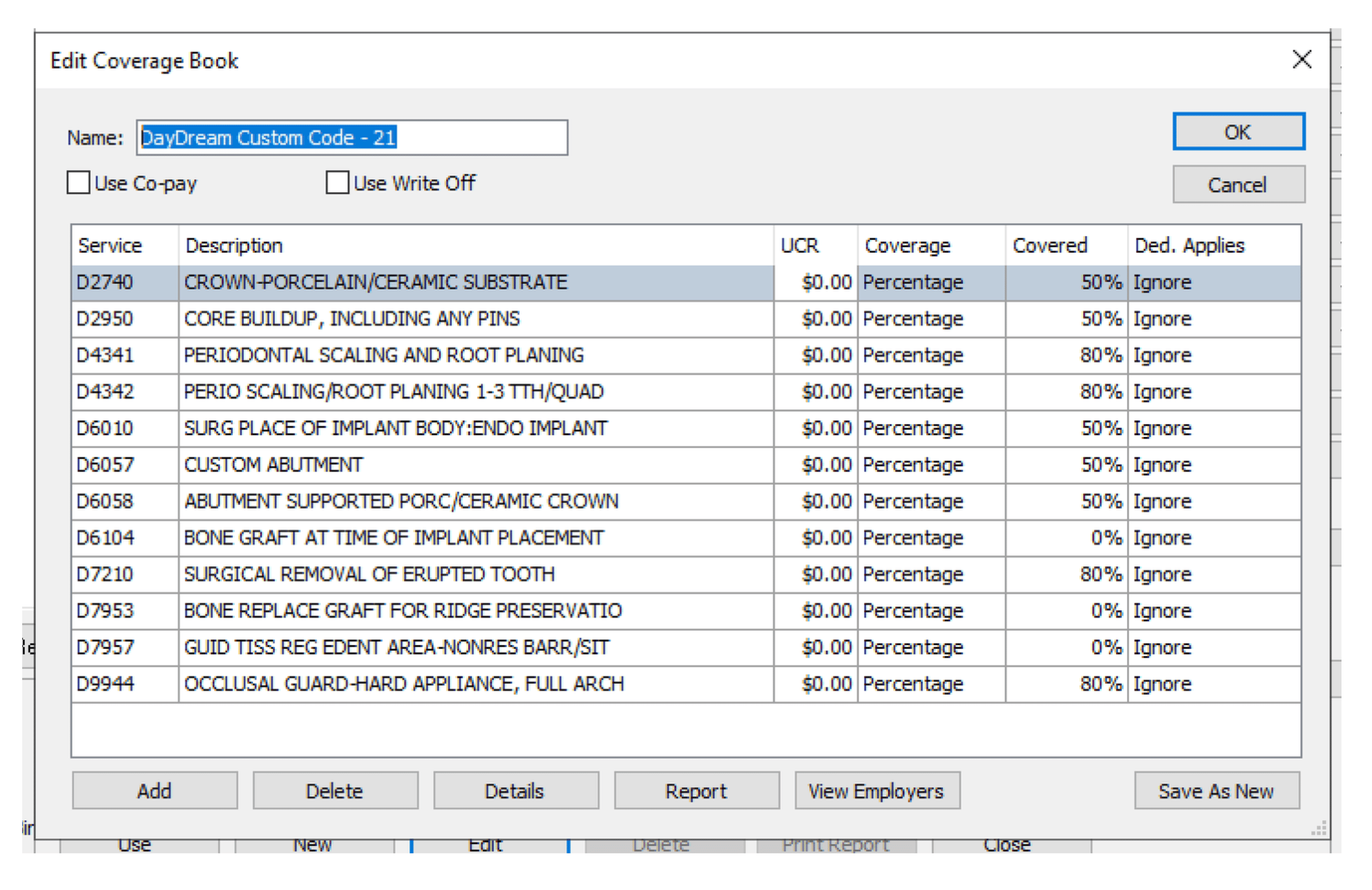
DayDream custom code coverage book in Eaglesoft
Verification notes and dates
DayDream records verification dates and plan notes in two places, depending on the type of verification.Full breakdown — Employer Notes
A full breakdown is generally completed once per plan year for each insurance plan. The verification date is written to Employer Notes (Edit Employer → Notes). Plan notes from the breakdown form (for example, custom plan questions and plan-specific answers) are also written to Edit Employer → Notes.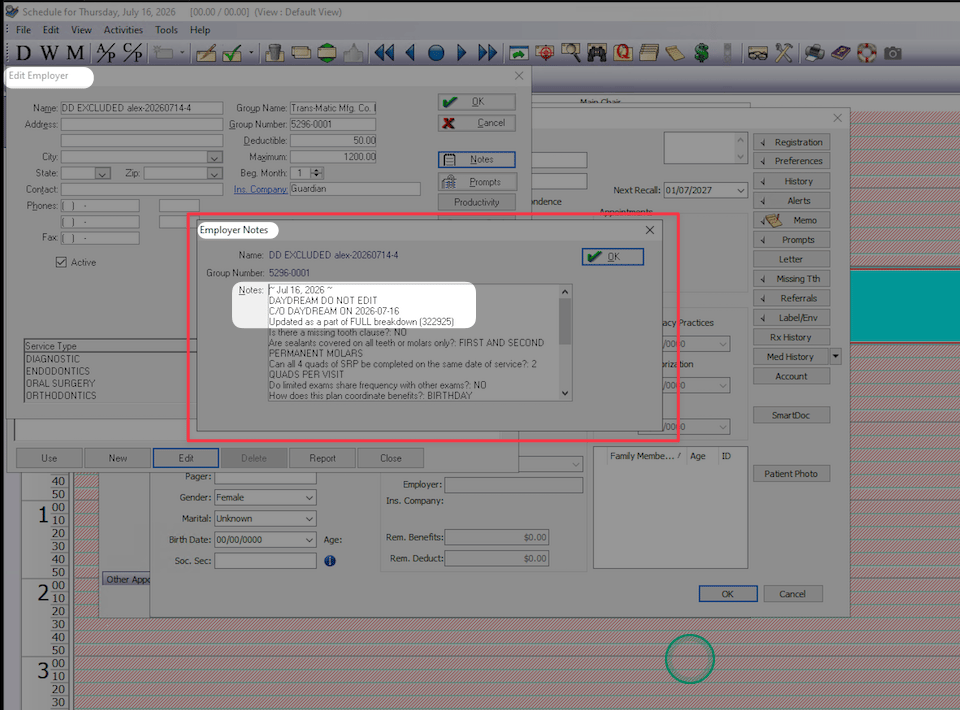
Employer Notes showing DayDream full-breakdown verification date and plan notes
Re-verification / eligibility check — Patient Memo
A re-verification (eligibility check) is patient-specific. After a plan has a full breakdown on file, DayDream generally re-checks eligibility about once per patient per month when that patient has appointments scheduled. If the same patient has more than one appointment in the same month, DayDream generally completes one re-verification for that patient and uses it for those visits—not a separate re-verification for every appointment. The eligibility verification date is written to Patient Memo (Edit Patient → Memo).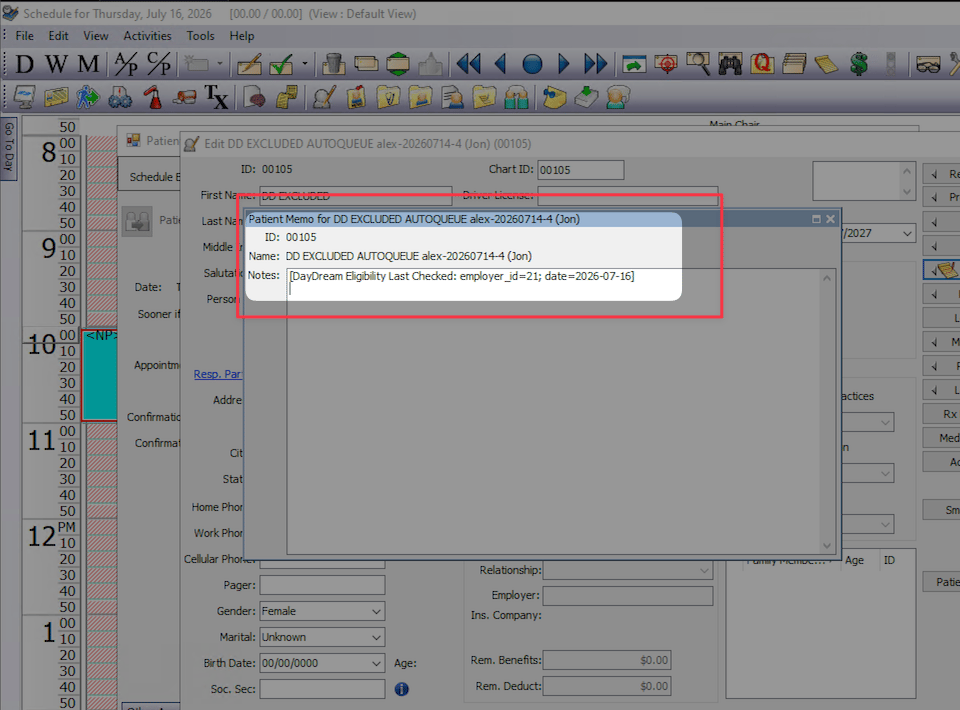
Patient Memo showing the DayDream eligibility verification date
Breakdown PDF in SmartDoc
DayDream attaches a PDF copy of the insurance breakdown to the patient record so your team can open the same document used during verification. Open SmartDoc and locate the DayDream breakdown PDF for that patient.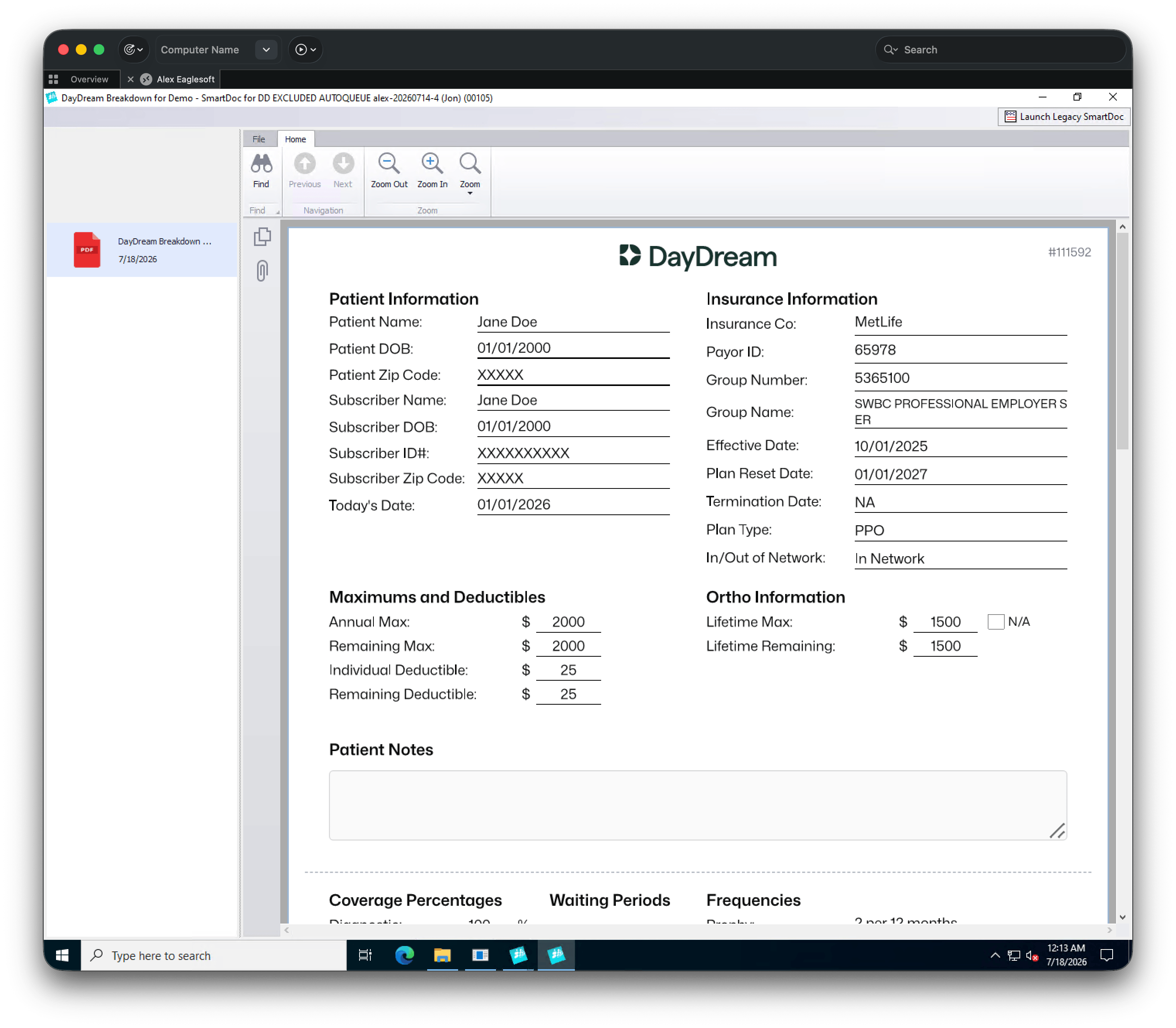
DayDream breakdown PDF in SmartDoc
Insurance A/R
CCU
FAQ
How do I know DayDream finished a verification for a patient?
How do I know DayDream finished a verification for a patient?
Why don't I see frequencies or waiting periods in Eaglesoft after a writeback?
Why don't I see frequencies or waiting periods in Eaglesoft after a writeback?
What happened to my plan's existing service types in Eaglesoft?
What happened to my plan's existing service types in Eaglesoft?
Where can I find general answers about working with DayDream?
Where can I find general answers about working with DayDream?